
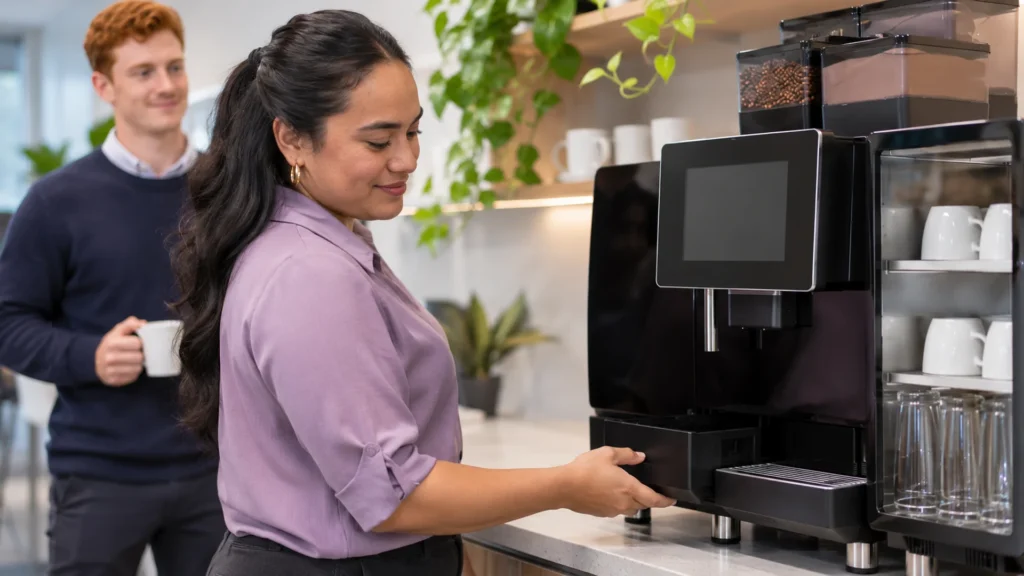
When an office coffee machine is broken, start with five safe checks: confirm the power, check the water tank or water tap, empty and refit the drip tray and grounds drawer, read the error message, and restart the machine once. If it still will not work, stop there and call your service provider rather than opening the machine. Many stoppages turn out to be a simple prompt, while genuine faults tend to get worse with guesswork. Panica Coffee rents, services and repairs commercial superautomatic coffee machines for Melbourne workplaces from our Caulfield South workshop, and this guide covers the first five minutes, what not to touch, when to call a technician and what a service agreement should state. As a result, the next time the office coffee machine stops, everyone knows who does what.
What Should You Check First When the Office Coffee Machine Stops?
The first checks are the ones anyone in the office can do safely, without tools and without removing a panel. Work through them in order, because the simplest causes are often the most common.
- Power: confirm the machine is switched on at the wall and at the machine. Check whether a safety switch has tripped, or whether someone unplugged it to use a kettle or urn.
- Water: on a tank-fed machine, make sure the tank is filled and seated properly. On a plumbed machine, check that the water tap under the bench is open, since cleaners or tradespeople sometimes close it.
- Drip tray and grounds drawer: empty both and push them fully back into place. Many automatic coffee machines will not brew while either one is full or not seated.
- Error message: read the screen and take a photo of it. Note what happened just before it appeared, such as a cleaning cycle or a bean refill.
- Restart once: switch the machine off at the machine, wait a minute, then switch it back on. If the same message returns, leave it off.
If the machine is working again after these checks, note what fixed it. A pattern of the same prompt usually points to a cleaning or setup habit rather than a fault.
What Should You Avoid Doing to a Broken Coffee Machine?
The safest rule is simple: if a step needs a screwdriver, a panel removed or a guess, it belongs to a technician. Well-meaning repairs are a common way for a small fault to become a larger one.
- Do not remove covers or panels, because the machine contains hot water, steam and mains power.
- Do not keep restarting it. Repeated restarts can hide the original error and make the fault harder to diagnose.
- Do not tip the machine or move it while it is full of water.
- Do not use household descaler or unknown cleaning products unless the manufacturer or your service provider has approved them. Our guide on how to descale a coffee machine explains why the product and process matter.
- Do not reach into the grinder or brew unit area.
If water is leaking near the power point, switch the machine off at the wall only if you can do so safely, then keep people away from the area.
When Should You Call a Technician?
Call a technician when the safe checks have not solved the problem. In practice, that means the error remains after one restart, the machine is leaking, it trips the power, it smells of burning, it makes an unusual grinding noise, or the same fault keeps returning.
Before you call, have the machine model, the photo of the error, a short note of what happened and the machine location ready. That information helps the technician arrive with the right parts. If you want to understand what those faults usually mean, our guide to common commercial coffee machine faults covers them in detail.
Machine down right now? Panica Coffee can book a service visit for Melbourne workplaces. Call 1300 529 505 or use the form below.
What Should a Good Service Agreement Cover?
A service agreement is the written arrangement that sets out who maintains and repairs a coffee machine, how fast a technician responds and which costs are covered. The time to read it is before the machine breaks, not during the outage. A good agreement states these points clearly:
- Response time: how quickly a technician attends, and whether that time changes with distance.
- Parts: whether replacement parts are included or charged separately.
- Callouts: whether a visit for a breakdown costs extra.
- Descaling: who descales the machine, and how often.
- Cleaning: which daily tasks belong to your staff and which belong to the technician.
- Water filtration: who supplies and changes the filter on a plumbed machine.
Daily cleaning is usually the workplace’s job, and a short routine prevents many stoppages. Our daily office coffee machine cleaning routine sets one out. Similarly, scale build-up is a frequent cause of faults, which is why water filtration for commercial coffee machines deserves a line in the agreement. For the questions to ask before signing, see five questions to ask before you sign a coffee machine rental agreement.
How Does Panica Coffee Handle a Broken Office Coffee Machine?
Panica Coffee includes servicing in every rental. A Panica Coffee rental covers the machine, its installation and the servicing that keeps it running, so descaling, parts and callouts are covered rather than invoiced as extras.
Our service response is 4 to 24 hours within about 30 km of our Caulfield South workshop, and 24 to 48 hours further out. Panica Coffee has traded in Melbourne since 2017, and our office coffee machine rental in Melbourne starts from $35 per week ex GST, with no upfront purchase and no lock-in contract.
Need Help With Your Coffee Machine?
Tell Panica Coffee which machine you have, what the screen shows and where you are located. We will advise on the next step and book a technician if the machine needs one. For a faster answer, call 1300 529 505.
Related Guides
- Switching Office Coffee Suppliers: How to Change Without a Gap
- How Much Does Office Coffee Machine Rental Cost in Melbourne?
- Coffee Machines for University and TAFE Staff Rooms in Melbourne
Frequently Asked Questions
What should I do first if the office coffee machine is not working?
Check the power, the water supply, the drip tray and grounds drawer, then read the error message. After that, restart the machine once, and if the problem remains, call your service provider.
Is it safe to restart a commercial coffee machine?
Yes, restarting once is safe. Switch it off at the machine, wait a minute and switch it back on. However, if the same error returns, leave the machine off and report the fault instead of restarting it again.
How quickly should a technician respond to a coffee machine breakdown?
The response time should be written into your service agreement. Panica Coffee responds in 4 to 24 hours within about 30 km of Caulfield South, and 24 to 48 hours further out.
Are repairs covered under a coffee machine rental?
Under a Panica Coffee rental, yes. Servicing is part of the rental, so descaling, parts and callouts are covered. Other agreements vary, so check the parts and callout terms in writing.
Who is responsible for cleaning the office coffee machine?
Daily cleaning is usually handled by the workplace, such as emptying the drip tray and grounds drawer and running the milk clean. The service agreement should state which tasks the technician covers, such as descaling.
Tired of Chasing Coffee Machine Repairs?
Panica Coffee rentals include servicing, parts and callouts, with no lock-in contract. Call 1300 529 505 to talk about a workplace coffee machine that comes with Melbourne support.